Instructions for updating iOS 27 beta version
Although Apple has not announced the official release date of iOS 27, iPhone users can experience the update early through the beta version of this operating system.
However, installing the test version is risky and should only be done on a secondary device.
To install iOS 27 Beta, users need to meet the following conditions: Own an iPhone compatible with iOS 27; Sign up for Apple's Developer Beta program.
Instructions for installing iOS 27 Beta
Register for a Developer Beta account:
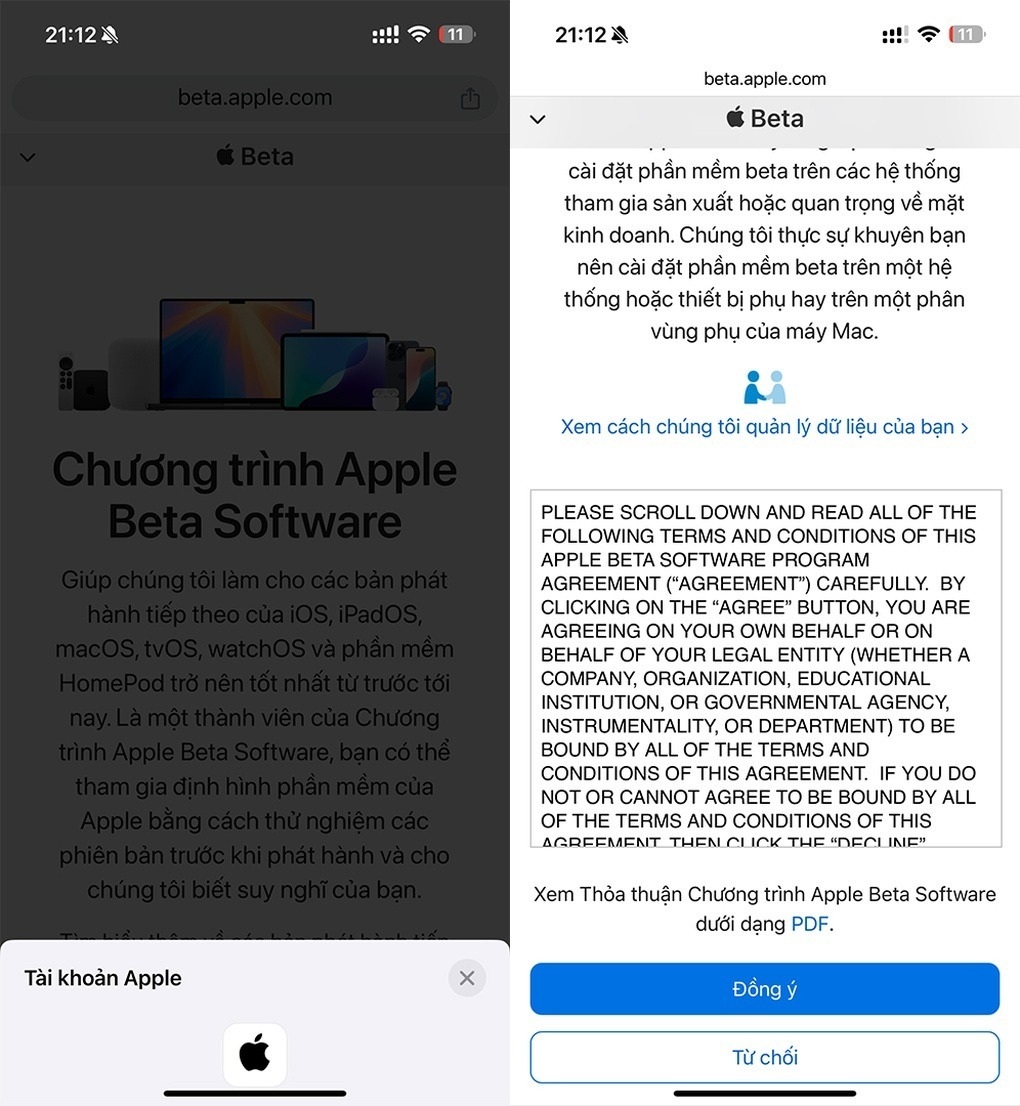
- Go to Beta.Apple.com.
- Sign in with your Apple ID account.
- Agree to the terms of the Apple Beta Software Program.
Install updates
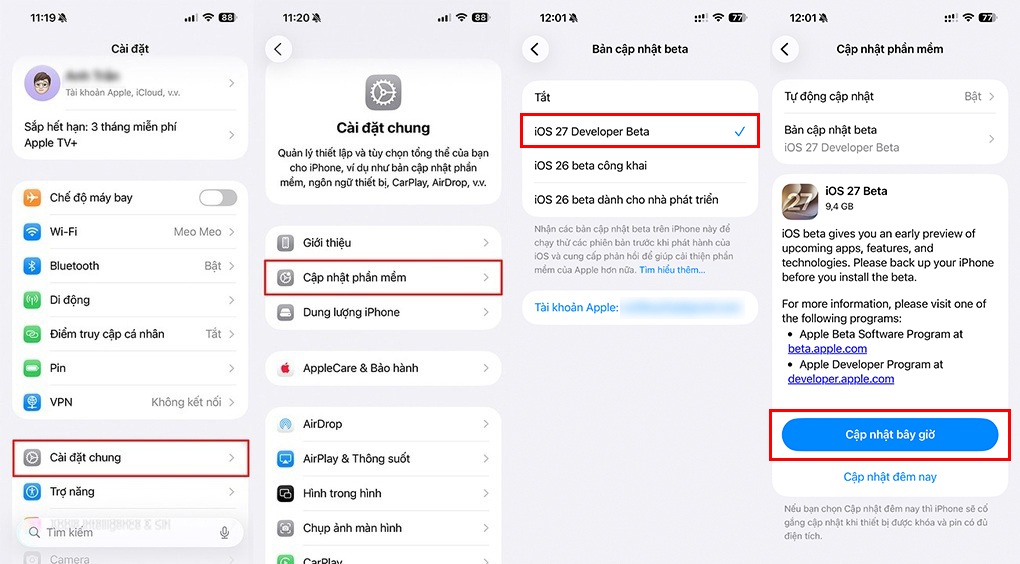
- On iPhone, go to Settings > General > Software Update.
- Select iOS 27 Developer Beta.
- Return to the update screen, the iOS 27 Beta version will be displayed. Proceed with the installation like regular updates.
Important note:
iOS 27 Beta is a test version, which may contain many errors and affect daily use experience.
Users should only install on a secondary phone to avoid the risk of data loss or work interruption, and always back up data before updating to ensure safety.
iOS 27 is the next major update for iPhone, focusing on optimizing performance and refining the user experience. One of the most notable improvements is that app launch speeds have been increased by 30%, along with AirDrop transfers being up to 80% faster.
To support older devices, Apple has introduced CPUI to increase responsiveness, ensuring all models from iPhone 11 and second generation iPhone SE and above can operate smoothly on this update.
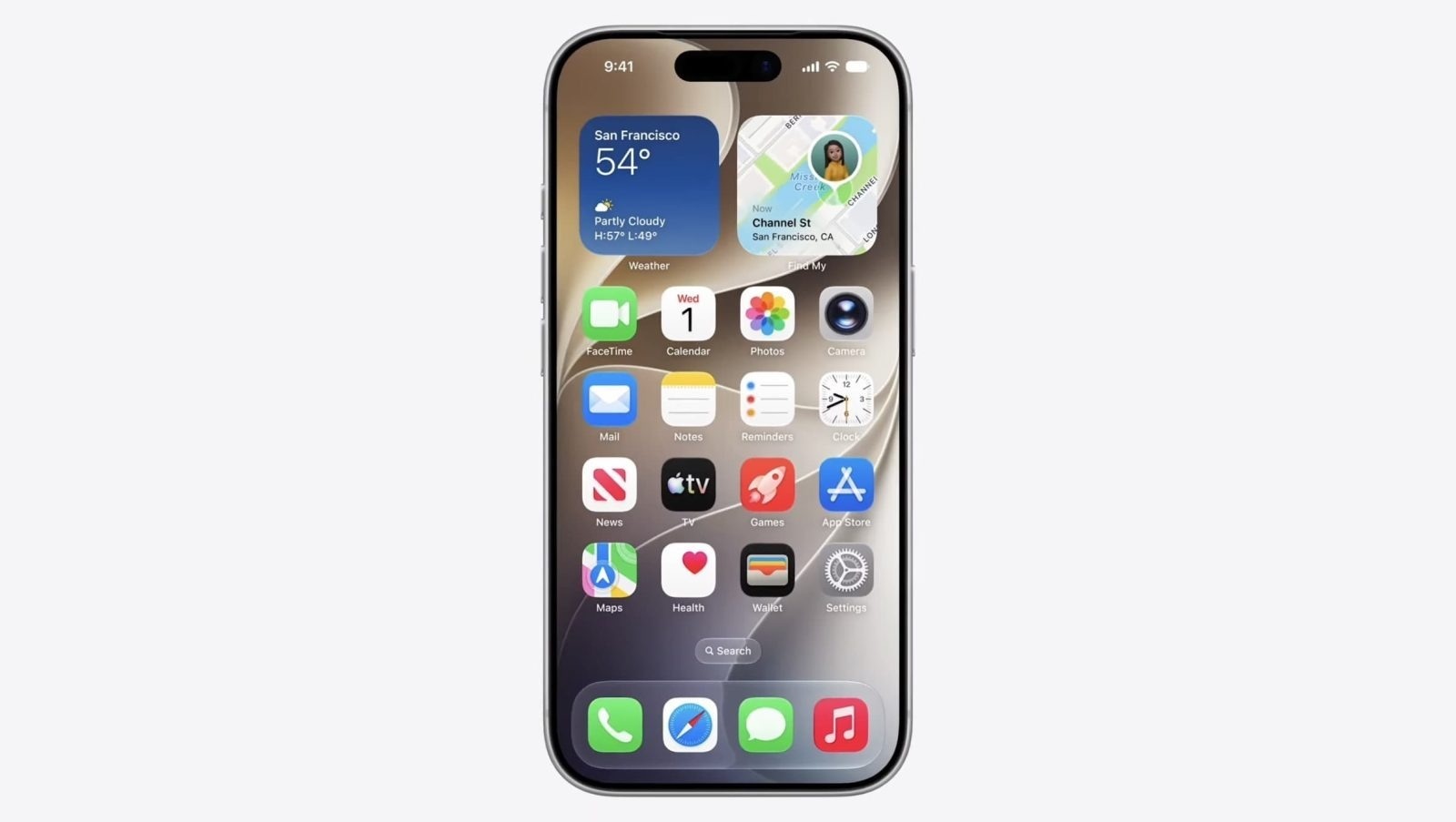
In terms of interface, iOS 27 still uses the "Liquid Glass" design language, but allows users to flexibly adjust transparency through a dedicated slider.
App icons have also been upgraded to look sharper and clearer thanks to the addition of light-refraction layers. In addition, the Spotlight search system has been completely rebuilt with a new search index, helping devices better understand context and provide accurate suggestions.