iPhone 18 Pro has professional recording and shooting software like a DSLR
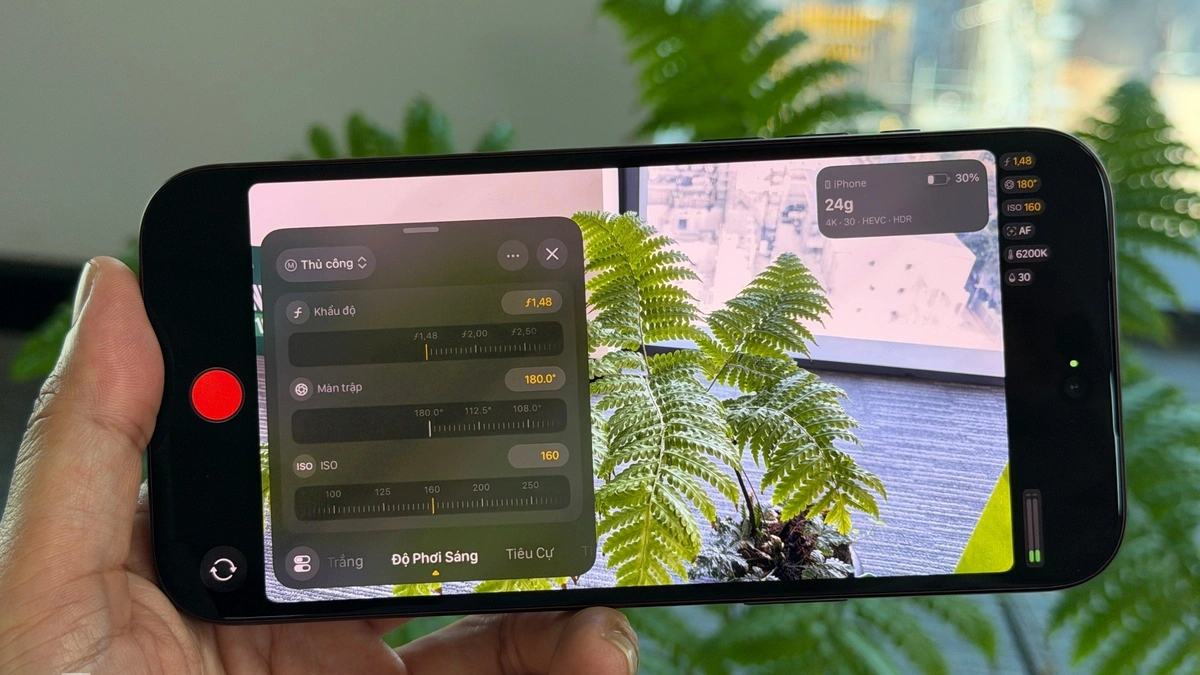
Final Cut Camera is a photography and recording application for professional users launched by Apple in 2024, compatible with iPhone Xs and above and free. While most Android brands integrate all modes into the default Camera software, Apple builds its own more powerful application for "Pro" users, without affecting the simple, easy-to-use approach inherent in iOS for general users.
The major updated version of Final Cut Camera 2.4 brings many new features to take advantage of the physical aperture camera system on the iPhone 18 Pro series. In particular, the lens aperture will change from f/1.48 to f/1.4 with about 50 other levels instead of just four like the default camera application. This is an important setting that helps professional users set the lighting and background blur to suit their content production intentions.
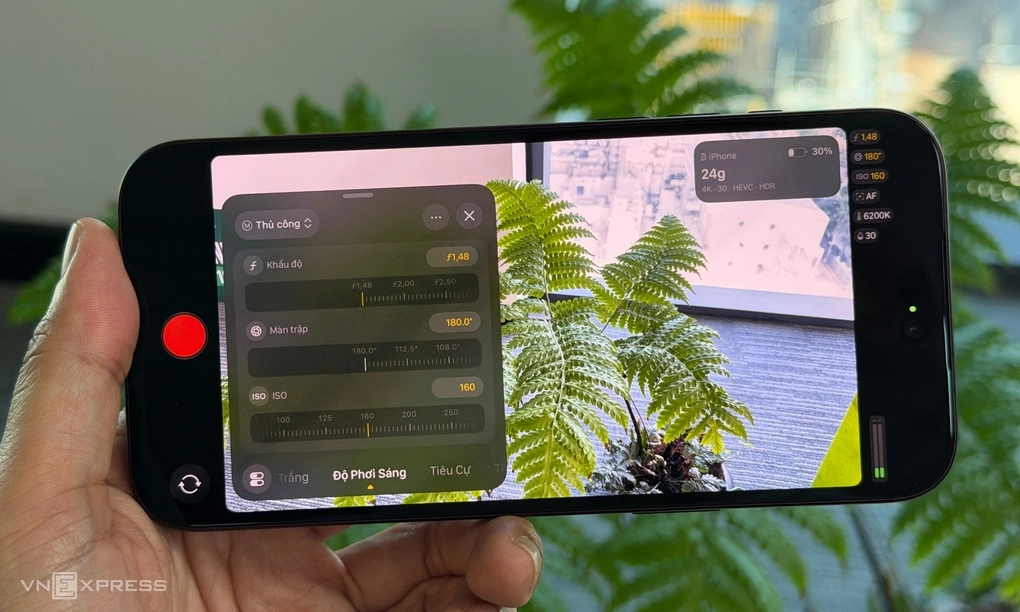
Actual testing shows that when changing the aperture with steps of about 0.05, the aperture blade on the main lens of the iPhone 18 Pro Max changes open and close smoothly and stably. With the new model alone, the software also allows shutter speed priority or aperture speed priority when recording video, similar to semi-automatic modes on professional cameras/camcorders.
According to Apple, version 2.4 is also completely redesigned to help content creators easily access common settings. In the main interface, the exposure triangle including shutter speed, ISO, aperture is displayed on the right, using a swipe to change the value is intuitive and easy to use. In addition, the application also allows changing the white balance value, manual focus, zoom level, (combined lens selection).
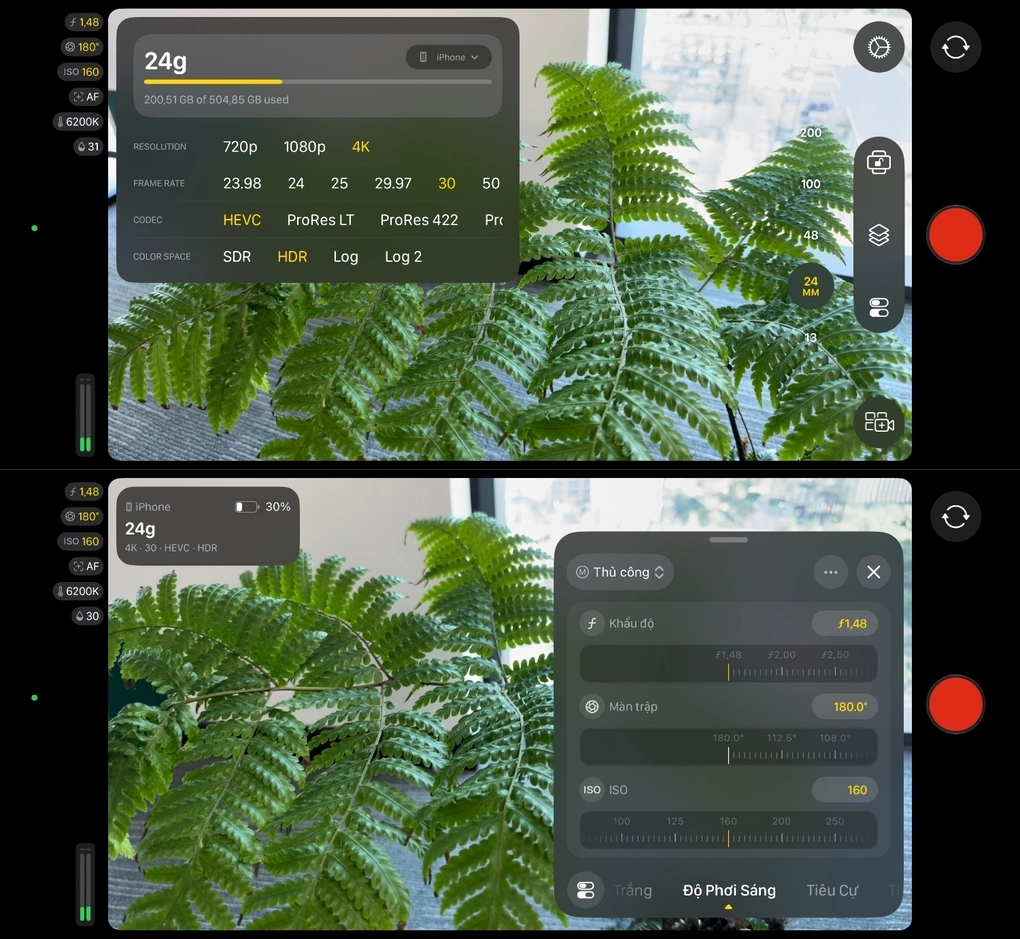
Final Cut Camera also has interface improvements such as a recording indicator light to show that recording is in progress or two-finger taps on the screen to completely clear the interface, helping creators focus on the scene. The update also brings Cinema mode effects to regular video, including footage shot in ProRes and Apple Log formats, allowing creators to adjust focus and depth of field when editing in Final Cut Pro.
Combined with iPhones running the new iOS 27 operating system, Final Cut Camera adds support for professional filming tasks, such as clean SDI output options, genlock delay adjustment. Users can monitor video accurately using RGB Parade, which displays red, green and blue channels, helps check color balance and exposure along with a histogram. The clean SDI option can use an HDMI to SDI converter for high-quality streaming.