Vercel Flags: Platform-native feature flags

At Vercel, feature flags are how we ship. From new features to model updates in v0, and even infrastructure changes like a production database migration where a flag was the cutover. The v0 team alone runs hundreds at any given moment.
Merging code sends a build to production, but the feature flags control whether users can see what changed. Flags let you ship on your own schedule, release to segments when you're ready, and roll back immediately by toggling a flag, without touching source files or redeploying.
Vercel Flags is platform-native: server-side by default, zero impact on page performance, and directly integrated with the frameworks you already use.
What is Vercel Flags
Vercel Flags lets you create feature flags, define targeting rules by user attributes, segments, or environment, run progressive rollouts, and flip kill switches if something breaks in production.
From your code, you read flags through Flags SDK, an open-source, provider-agnostic library we maintain with first-class adapters for Next.js and SvelteKit. If you are using another framework, you can consume Vercel Flags using the built-in OpenFeature provider.
The Vercel Flags dashboard sits alongside your project and deployments, where you can create and manage flags.

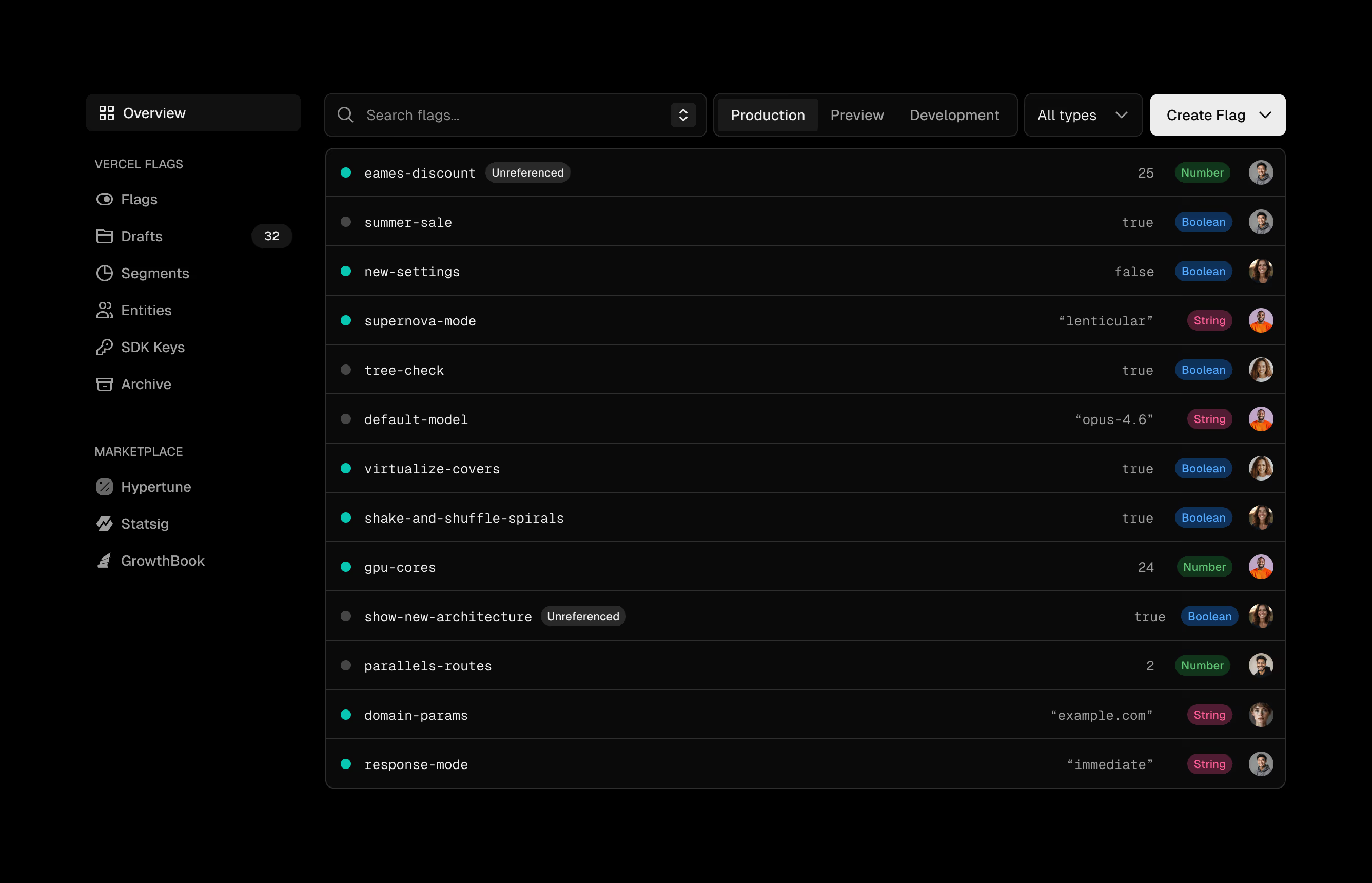
But what makes Vercel Flags different from other flag services is the framework integration.
Why framework-native matters
Other flag providers give you a generic SDK to wire through your framework yourself, and a separate dashboard to manage flags in. Vercel Flags is built into the Vercel platform, so you manage flags in the same dashboard as your deployments, and your code reads them through the framework-native Flags SDK.
Server-side evaluation
When a flag is evaluated on the client, users see a loader, a flicker, or a layout shift. The browser can't render the correct view until the flag value comes back. The Flags SDK evaluates on the server instead. With Next.js React Server Components, you read the flag with await during render. The correct view is determined server-side and the browser renders it directly, with no separate flag request. That value comes from Vercel Flags, where a configuration change propagates to every region within milliseconds.
1import { showNewFeature } from "@/flags"2
3export default async function Page() {4  const isEnabled = await showNewFeature()5  return isEnabled ? <NewDashboard /> : <OldDashboard />6}
Reading the flag server-side in a route. The user receives the correct variant before the page paints.
For advanced cases, you can pass the flag as a promise to a client component rather than awaiting it. This lets the page start rendering before the flag value arrives, with the component showing a fallback in the meantime. The flag still resolves on the server, so there is no browser-side request for it.
Automatic flag registration
Vercel Flags registers flags automatically. Define one in code, deploy, and it appears in the dashboard as a draft. Promote the draft when you're ready to configure targeting and roll out. Remove the flag from your code and the dashboard marks it as unreferenced, so you always know what's safe to archive. The flags you write are the flags you manage, with no separate list to keep in sync by hand.
1import { flag } from "flags/next"2import { vercelAdapter } from "@flags-sdk/vercel"3
4export const showNewFeature = flag({5  key: "show-new-feature",6  adapter: vercelAdapter()7})
Defining a flag with the Flags SDK and the Vercel adapter.
Precompute
Static pages are fast and consistent because they are served from the CDN regions closest to you and your users. But adding a flag makes a page dynamic. Either you render server-side and lose CDN delivery, or you fetch the flag client-side and get layout shift back. However, Flags SDK comes with an optional, advanced pattern that solves this. Precompute lets you build all variants at build time, distribute them through the CDN, and have Routing Middleware (the proxy.ts file in Next.js) route each user to the right one. Every page stays static and loads with no layout shift.
Note: Precompute is an advanced but powerful pattern. Read the docs to learn more.