Introducing Vercel Connect

Giving your agents access to your tools, data, and services is what makes them useful. As agents perform deeper work across systems, authenticating and authorizing that access becomes central to your application architecture.
Today, agent access is usually granted through long-lived provider tokens stored in your environment variables, provisioned for everything your agent might need. These tokens are shared across every user, never expire, and give your agent full reach across every task, no matter how small the job.
A vault makes that token harder to steal. It doesn't make it less dangerous. The problem is what happens when the token leaks: everything it can touch is now exposed.
We built Vercel Connect to solve this problem. Now in Public Beta, Vercel Connect replaces the stored token with runtime credential exchange. You register a connector once. When your agent has work to do, your app proves its identity to Vercel Connect and gets back a short-lived credential, scoped to the task. Everything you used the token for still works. The agent just requests access each time instead of holding it.

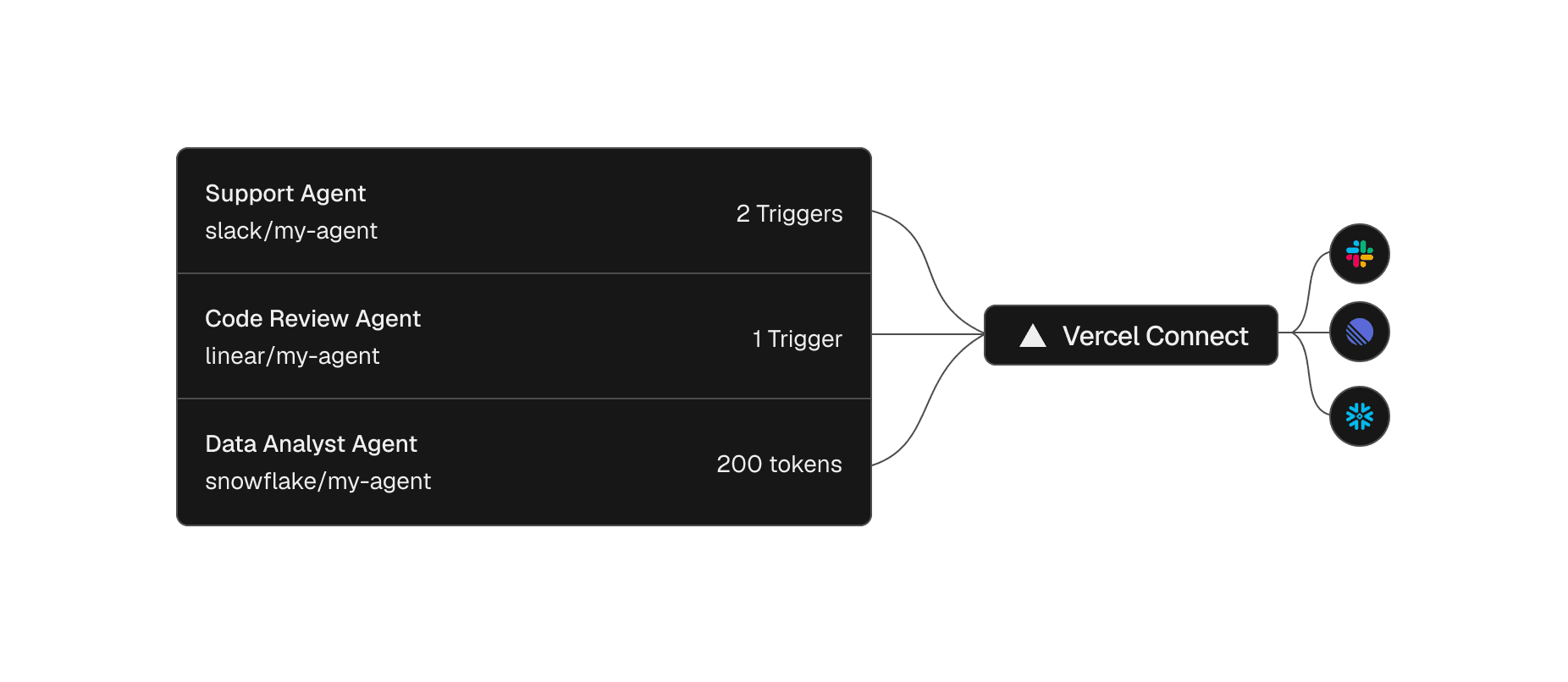
Register a connector once, then reuse it across projects and environments
A connector is a reusable connection between your Vercel team and a provider like Slack or GitHub. You create it once from the dashboard or the CLI, then attach it to the projects and environments that need it, with project-level access controls.
vercel connect create slack --name mybotCreate a Slack connector
The relationship with the provider becomes a single entity you can see and manage, not something scattered across a dozen environment variable panels where a rotation means hunting down every copy.
Your coding agent can run this setup too. Install the vercel-connect skill with npx skills add vercel/vercel-plugin --skill vercel-connect, and it can create and attach connectors for you.
Request scoped tokens at runtime
With a connector in place, the agent asks for a credential only when it has work to do. The @vercel/connect SDK returns a token you use immediately against the provider API, and no provider secret lives in your app.
1import { getToken } from '@vercel/connect';2const token = await getToken('slack/mybot', {3 subject: { type: 'app' },4});Request a token at runtime
Tokens are short-lived, with a lifetime that depends on the provider. The SDK refreshes them automatically, so you never rotate a secret by hand. That leaves one question. If your app holds no secret, what proves it's allowed to ask?
The app proves its identity with OIDC
The proof is an identity your app already has. Every deployment on Vercel gets an OIDC identity, and when your app or agent requests a token, the SDK presents that identity to Vercel Connect. Vercel Connect verifies it, checks that the project and environment are allowed to use the connector, and returns the provider credential. That round trip is the runtime credential exchange.
The same identity is available during local development through vercel link and vercel env pull, and outside Vercel, the SDK accepts a Vercel access token. Either way, there is no provider secret in your app to leak, commit, or copy between environments.
Scope each token to exactly what the task needs
Not every task needs the same reach, even within a single agent. One step might read a repository while the next opens an issue. Each requests exactly the access it needs, and the request itself sets limits. A request can include:
Provider scopes
An installation ID
Resource restrictions